
Testing reminders that match your actual schedule
Pick 3, 6, or 12 months, or set your own date. Protecht remembers so you do not have to keep doing the math.
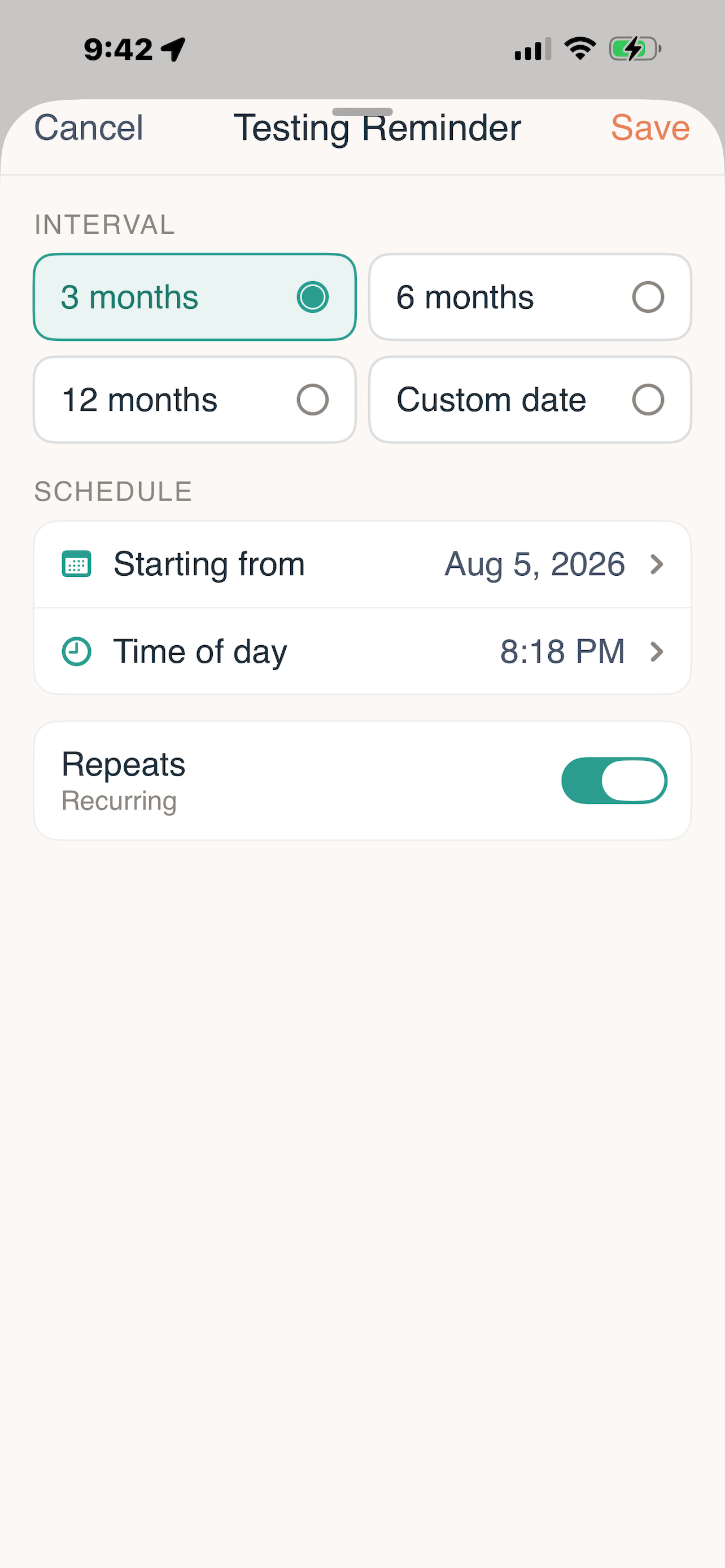
Set it once
Pick an interval.
3 months, 6 months, 12 months, or a custom date.
Set the day and time.
Choose when it starts and what time of day it lands.
Turn on repeats.
It recurs on its own until you change it.
How often is regular?
These reflect general CDC screening guidance. Timing depends on the individual, and your provider makes the call.
The reminder is only useful if the result comes back
Reminder lands.
On your schedule, on your phone.
You test.
Use the clinic finder if you need somewhere to go.
The result arrives verified.
Pulled from your provider’s record through the FHIR API. There is no upload button, and nothing to type in.
It is ready to share.
Read-only, 60 seconds, gone.
Other reminder apps stop at step one. Protecht closes the loop.
Testing reminders are part of Protecht+, along with medication reminders, symptom and connection tracking, sharing for eight additional conditions, and vaccination records.
Questions about testing reminders
Protecht knows the schedule you set for your reminders. It does not see a test result until your provider’s record is pulled through the FHIR connection, and that only happens on your device when you choose to view it.